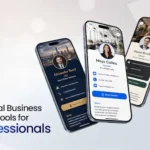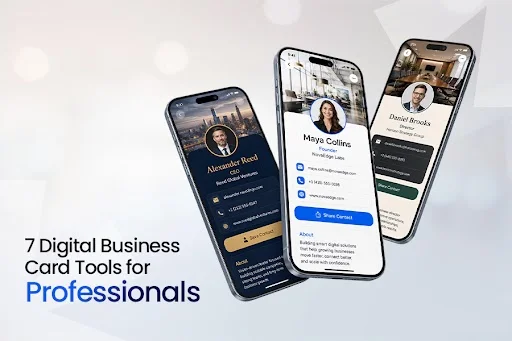
Digital business cards have become a practical networking tool for professionals who want to share up-to-date contact information, capture leads, and make follow-up easier. What began as a digital alternative to paper cards has evolved into a category that includes analytics, CRM integrations, team management, and advanced sharing features for Digital Business Card Tools.
To see how the leading platforms compare, we reviewed seven popular digital business card tools used by professionals, consultants, sales teams, and business owners. Our evaluation focused on the features that matter most in real-world networking, including customization, sharing methods, contact capture, analytics, team features, integrations, and pricing.
The result is a practical comparison of the digital business card platforms professionals use in 2026 and the situations in which each performs best.
How we tested
Our review panel included marketing consultants, sales professionals, and small-business owners who actively use digital business cards in client-facing roles. Each platform was tested over a four-week period across real networking scenarios, including conferences, client meetings, and follow-up outreach.
Scores were based on first-hand experience rather than vendor claims and evaluated across seven criteria: card customization, sharing methods, contact capture, analytics, team features, integrations, and pricing.
1. Digital Business Card PRO
Digital Business Card PRO is built specifically for professionals who want a polished digital business card without a complex setup. The platform focuses on doing one thing well: helping you make a strong first impression and efficiently capture contacts.
The card builder is clean and fast. Templates are professionally designed and work across industries. You fill in your details, pick a layout, and your card is ready in minutes.
Service Ratings
Card Customization: Wide range of templates, color options, font choices, branding controls, and logo uploads. Cards look professional out of the box while still allowing extensive personalization across industries – 9.4/10
Sharing Methods: Personal link, QR code, Apple Wallet, Google Wallet, NFC compatibility, and one-tap contact save. Recipients do not need to download an app, making sharing seamless across Android and iOS devices – 9.7/10
Contact Capture: Built-in lead capture form lets visitors submit their own details when viewing your card. Contacts are stored in a clean dashboard – 9.5/10
Analytics: Tracks card views, link clicks, contact saves, device types, browser usage, location data, and engagement trends by time and day. The reporting provides meaningful insights for both individual professionals and organizations looking to optimize networking performance – 9.4/10
Team Features: Supports centralized card management, shared branding, user administration, and organization-wide deployment. The platform scales effectively from small teams to large enterprises while maintaining brand consistency and administrative control – 9.5/10
Integrations: Supports contact exports and workflow-friendly data management. Additional CRM integrations and automation capabilities are expected to expand the platform’s connectivity further – 9.2/10
Pricing: Free plan covers core features. Paid plans are fairly priced for what they offer. No hidden fees or forced upsells – 9.5/10
Disadvantages
While the platform is easy to use, its broad feature set means new users may need some time to explore capabilities beyond basic contact sharing. Organizations requiring specialized identity-management integrations may need enterprise-level plans to access features such as Active Directory integration.
Overall: 9.5/10
Digital Business Card PRO earns the top spot for its combination of simplicity, polish, and practical networking features. It is the platform most professionals will be happy with from day one.
2. Blinq
Blinq is the top-rated digital business card platform on G2 in 2026. It is best known for its team management features and fast deployment for large workforces. Admins build branded card templates from a central dashboard and push them to every team member at once.
Individual professionals can get set up quickly. Sales teams benefit most from centralized admin controls, which enable instant updates to every employee card when details change.
Service Ratings
Card Customization: Branded templates with logo, colors, and contact fields. Admin-level controls are strong. Individual card customization is slightly more restricted than some competitors – 8.9/10
Sharing Methods: QR code, NFC tap, and personal link. Fast load time and a smooth sharing experience across all device types – 9.5/10
Contact Capture: Lead capture forms available on paid plans. Contacts sync directly to CRM tools – 9.2/10
Analytics: Scan tracking, link clicks, and contact saves on Business and Enterprise plans. Data is clear and actionable – 9.3/10
Team Features: One of the strongest in the category. Centralized branding, mass provisioning, and instant updates across all team cards – 9.8/10
Integrations: Native connections with HubSpot, Salesforce, and major CRM platforms. Solid for teams already running established sales stacks – 9.4/10
Pricing: Free plan works for individuals. Business and Enterprise plans are priced for larger teams and reflect the depth of features at those tiers – 8.6/10
Disadvantages
The free plan is limited for individuals who want full design control. The pricing model is best justified at team scale. Solo professionals may find better value elsewhere on this list.
Overall: 9.3/10
A strong choice for sales teams and enterprise organizations. Individual professionals may find it more platform than they need.
3. QRCodeChimp Digital Business Card
QRCodeChimp is widely recognized as a QR code management platform. Its digital business card feature, however, is among the most capable on the market, and it sits within a broader toolset that gives marketing professionals a real advantage.
The card builder supports deep customization: colors, fonts, layouts, social links, videos, and contact forms. For professionals who also run QR code campaigns, everything lives in one dashboard.
Service Ratings
Card Customization: Extensive design options including custom colors, layout variations, video embeds, and branded templates. Among the most flexible builders tested – 9.6/10
Sharing Methods: QR code, personal link, and one-tap save. The QR code integrates directly with QRCodeChimp’s broader campaign management tools – 9.4/10
Contact Capture: Lead-capture forms with built-in contact management. Collected leads feed into the platform’s dashboard alongside QR scan data – 9.3/10
Analytics: Scan and view analytics broken down by time, location, device, and browser. One of the most detailed analytics layers in this review – 9.7/10
Team Features: Sub-accounts, folder-based organization, bulk creation, and role-based access. Scales well from small teams to large organizations – 9.5/10
Integrations & Security: CRM integrations, Zapier connectivity, and Azure Active Directory support. SOC 2 Type 2 and GDPR compliant – 9.6/10
Pricing: Competitive across all tiers. The value proposition improves further if you also use the QR code campaign features – 9.3/10
Disadvantages
The platform is broader than most dedicated digital business card tools. Professionals who only need a digital card may find the interface slightly more involved than simpler alternatives. The learning curve is low, but it exists.
Overall: 9.1/10
An excellent option for marketing professionals and business owners who want digital business cards and QR code campaign management under one roof.
4. HiHello
HiHello is one of the most established digital business card platforms and maintains a loyal user base. It is reliable, easy to set up, and well-suited for individual professionals getting started with digital cards.
The free plan is genuinely useful, which explains much of its popularity. Core features are accessible without a subscription, and the paid plans offer a fair upgrade path.
Service Ratings
Card Customization: Clean templates with logo, color, and contact field options. A custom background image feature adds a branded touch not always available on free plans – 9.0/10
Sharing Methods: QR code, personal link, and direct share. The workflow is smooth and works well in face-to-face networking situations – 9.1/10
Contact Capture: Business card scanner converts physical cards into digital contacts. A useful feature for professionals who still receive paper cards – 9.0/10
Analytics: Available on paid plans. View counts, link clicks, and contact saves are tracked clearly – 8.8/10
Team Features: Team management is available at higher tiers. Works for small-to-mid-size teams but lacks the enterprise depth of Blinq or QRCodeChimp – 8.6/10
Integrations: Connects with major CRM and productivity tools on paid plans. Coverage is solid for standard professional workflows – 8.7/10
Pricing: Free plan is one of the better ones in the category. Paid plans are reasonably priced – 9.3/10
Disadvantages
The free plan has limited customization and analytics. The team management features are functional but not a strong choice for large organizations. The interface, while clean, has not changed significantly in recent years.
Overall: 8.9/10
A dependable option for individual professionals who want a solid free plan and a simple upgrade path.
5. Wave Connect
Wave Connect makes a strong case on the strength of its free plan alone. Unlimited contact storage, a physical business card scanner, and custom background images are available at no extra cost – a combination that is rare in this category.
The sharing experience is one of the smoothest tested. On iPhones, scanning a Wave QR code opens the card through Apple App Clips, which feels seamless and requires no app download from the recipient.
Service Ratings
Card Customization: Custom backgrounds, logo, contact fields, and social links. The background image option on the free tier is a notable advantage – 9.1/10
Sharing Methods: QR code, NFC, and link sharing. The Apple App Clips integration on iPhone is the standout feature for a clean first impression – 9.4/10
Contact Capture: Unlimited contact storage on the free plan. Contacts sync to CRM tools on the Pro plan – 9.2/10
Analytics: Detailed engagement data on the Pro plan, including CRM sync and lead tracking – 8.9/10
Team Features: Limited compared to enterprise-focused platforms. Better suited to individuals and small teams – 8.3/10
Integrations: HubSpot and Salesforce on the Pro plan. SOC 2 Type 2 certified – 9.0/10
Pricing: Free plan is among the most generous in the category. Pro plan at $4.99/month is well-priced – 9.6/10
Disadvantages
Team management features are limited compared to platforms like Blinq or QRCodeChimp. The Pro plan unlocks the most useful features, so heavy free-tier users will eventually hit a ceiling.
Overall: 8.9/10
The strongest free plan in this review. A great starting point for individual professionals who want to test digital cards before committing to a subscription.
6. Popl
Popl built its name on NFC-enabled physical cards and accessories. The digital platform supports that core focus with a clean profile builder and a strong sharing experience in fast-paced networking environments.
Tapping a Popl card to a phone opens your contact page instantly. No scanning, no waiting. For professionals at events where speed matters, this experience stands out.
Service Ratings
Card Customization: Profile builder with links, contact details, social profiles, and lead capture. Clean design with straightforward options – 8.8/10
Sharing Methods: NFC tap is the standout feature. QR code and personal link sharing also available. One of the fastest sharing experiences tested – 9.5/10
Contact Capture: Lead capture forms available with analytics on paid plans – 8.9/10
Analytics: View and click data visible in the dashboard. Enough for individual professionals; less suited to teams needing deeper reporting – 8.7/10
Team Features: Works for small teams. Not the strongest choice for large-scale deployment compared to Blinq – 8.4/10
Integrations: CRM connections available on higher plans. Standard coverage for professional use – 8.6/10
Pricing: Physical NFC accessories are an added cost. Digital-only plans are reasonably priced – 8.7/10
Disadvantages
The physical card is a selling point but also an added expense. Team management depth is limited. Best suited to individuals and small teams rather than large organizations.
Overall: 8.8/10
A strong option for professionals who want the combination of a physical NFC card and a clean digital profile for high-volume networking events.
7. V1CE
V1CE targets professionals for whom presentation is a priority. The physical cards are made from premium materials including metal, bamboo, and recycled PVC. The digital platform is well-built and backs up the premium physical product with solid features.
The free plan includes one fully featured digital card with all design tools. The Teams plan at $149.99/month covers unlimited users, which is unusual pricing in this market.
Service Ratings
Card Customization: Strong design options with support for branded profiles, social links, and contact management. The physical card is a conversation-starting complement – 9.0/10
Sharing Methods: QR code, NFC tap, and personal link. The physical card handling adds a tactile dimension to the digital sharing experience – 9.2/10
Contact Capture: Analytics and contact management included on paid plans – 8.8/10
Analytics: Clear view and engagement tracking across plans – 8.9/10
Team Features: The unlimited-user Teams plan is an unusual and generous offering at the price point – 9.1/10
Integrations: Standard CRM and export options. Covers the core professional workflow – 8.7/10
Pricing: Free plan is strong. Plus plan at $4.99/month is accessible. Premium physical cards are an extra investment – 8.6/10
Disadvantages
The premium positioning means higher costs if you want the physical card experience. The digital platform alone, while solid, does not differentiate significantly from more established competitors without the physical card component.
Overall: 8.7/10
Best suited for executives and sales professionals in industries where the physical impression of a card still carries weight.
Comparison Table
| Platform | Customization | Sharing | Contact Capture | Analytics | Team Features | Pricing | Overall |
| Digital Business Card PRO | 9.4 | 9.6 | 9.5 | 9.2 | 9 | 9.5 | 9.5/10 |
| Blinq | 8.9 | 9.5 | 9.2 | 9.3 | 9.8 | 8.6 | 9.3/10 |
| QRCodeChimp Digital Business Card | 9.6 | 9.4 | 9.3 | 9.7 | 9.5 | 9.3 | 9.1/10 |
| HiHello | 9 | 9.1 | 9 | 8.8 | 8.6 | 9.3 | 8.9/10 |
| Wave Connect | 9.1 | 9.4 | 9.2 | 8.9 | 8.3 | 9.6 | 8.9/10 |
| Popl | 8.8 | 9.5 | 8.9 | 8.7 | 8.4 | 8.7 | 8.8/10 |
| V1CE | 9 | 9.2 | 8.8 | 8.9 | 9.1 | 8.6 | 8.7/10 |
Conclusion
Digital business cards have moved well past novelty in 2026. They are a practical tool for any professional who networks with intent. The platforms reviewed here represent the best the market currently offers, each with a clear use case and a genuine reason to exist.
Digital Business Card PRO leads for individual professionals and small teams who want an easy setup, a polished card, and reliable sharing. QRCodeChimp’s Digital Business Card is the strongest choice for marketing professionals who also manage QR code campaigns. Blinq is the go-to for large sales teams that need centralized control. Wave Connect offers the best free tier for those just getting started.
The right choice depends on how you work and who you network with. Pick the platform that fits your daily workflow, and you will not need to revisit the decision for a long time.