A still image can be powerful, but it often stops one step short of what people actually want to communicate. A portrait may suggest emotion, a product photo may hint at usefulness, and a travel shot may carry atmosphere, yet none of these fully guide the viewer’s attention once the frame remains fixed. That is why Image to Video AI feels relevant right now. It offers a practical way to turn a single image into a short moving scene without asking users to learn traditional editing software first.
That shift matters because the difficulty in video creation is not always creative thinking. In many cases, the harder part is converting an idea into a polished motion asset quickly enough to stay useful. For solo creators, marketers, educators, and small teams, that gap can delay good ideas until they lose momentum. A browser-based workflow shortens that distance. In my observation, this kind of tool works best when users already know the visual they want to start from but need help giving it motion, rhythm, and a more immediate presence.
The broader value is not just convenience. It changes who gets to experiment. When moving from image to video becomes a short workflow rather than a specialized production task, more people can test visual concepts early. Some outputs will be stronger than others, and results still depend on the source image and prompt quality, but the creative threshold is undeniably lower.
Why Static Images Often Need Motion Now
The internet increasingly rewards movement. A still image can capture attention for a moment, but motion helps sustain it. Even subtle shifts in perspective, camera direction, or implied action can change how long someone stays with a piece of content.
Motion Adds Direction To Attention
A photograph leaves interpretation open. That can be beautiful, but it can also be limiting in fast digital environments. Motion gives the eye a path. It suggests where to look first, what emotional cue matters most, and how the scene should be experienced over time.
Short Clips Match Modern Viewing Habits
People now consume large amounts of visual content through short loops, quick previews, and lightweight video fragments. A tool built around short image-based video fits that reality. It does not need to replace long-form filmmaking to be useful. It only needs to make static visuals more expressive in the kinds of environments where short motion already performs well.
How The Platform Works In Practice
The official workflow is straightforward and easy to grasp. Rather than presenting users with a timeline editor, layered effects controls, and complex export settings, the platform keeps the process close to idea entry and cloud generation.
Step One Begins With Image Upload
The site shows a simple upload-based starting point. Users choose a picture and upload it to the platform. The official page states support for JPEG and PNG formats, which covers the most common image types people already have available.
Step Two Uses Natural Language Input
After uploading, users add a prompt describing what they want to happen. This is an important design choice. Instead of dragging motion paths by hand, the user describes intention in ordinary language. That makes the system feel more like directing than editing.
Step Three Runs Cloud Processing
Once the request is submitted, the platform processes it online. The site describes this as a waiting stage where the task shows as processing, typically around five minutes. That detail matters because it frames the product as a cloud-based generation service rather than a local rendering tool.
Step Four Ends With Download And Sharing
When the status is completed, the video is ready to review, download, and share. The output is presented as a usable video file, which makes it easy to fold into posting, promotion, or simple distribution workflows.
What Makes The Workflow Different
Many creative tools claim simplicity, but not all of them reduce the right kind of friction. Here, the platform appears designed to remove barriers that usually discourage experimentation.
No Traditional Editing Setup Required
The site positions itself as an online tool that does not require software downloads or technical expertise. In practical terms, this means a user can start with a concept rather than a production environment. That lowers the cost of trying ideas that might otherwise feel too small to justify a full editing process.
The Tool Mix Goes Beyond One Single Mode
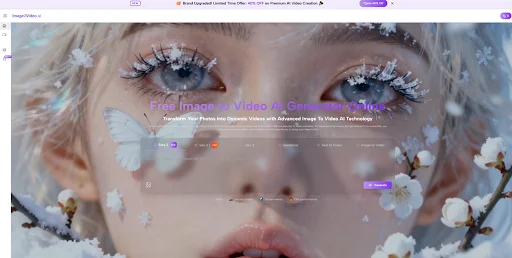
The platform is not presented only as a single image-to-video box. The homepage also shows related creation modes such as text to video, text to image, and image to image. That suggests a broader visual generation environment where users can work from different creative entry points.
Templates Help Popular Use Cases Move Faster
The site highlights specific effects such as dance, hug, kiss, fight, old photo animation, and muscle-style transformations. This is useful because many users do not want to invent the entire structure of a prompt from scratch. They want a recognizable starting point that already matches a familiar visual intent.
Popular Effects Reduce Prompt Friction
A guided effect can make the difference between curiosity and actual use. In my experience, prompt-based tools become much more approachable when users are not forced to describe every detail from zero. An effect library gives them a working direction immediately.
How Creative Control Appears On The Platform
A platform like this succeeds or fails not only by speed but by how much useful control it gives to non-specialists.
Camera Motion Is A Meaningful Feature
One of the more practical details on the site is the mention of camera motion controls such as pan, zoom, tilt, and rotation. That matters because motion is not only about making something move. It is also about deciding how the viewer experiences the scene.
Movement Changes Perceived Depth
A flat image often feels more cinematic when the apparent camera shifts rather than the subject simply animating in place. In my testing of similar products, even modest camera direction can make results feel more deliberate and less generic.
Small Motion Choices Affect Realis
Subtle movement is often more convincing than aggressive movement. A gentle zoom or pan can preserve the integrity of the original image while still adding life. This is one reason simple motion controls can matter more than a very long list of flashy effects.
A Practical Comparison Of Product Traits
| Aspect | What The Platform Shows | Why It Matters |
| Input method | Upload image and add a prompt | Easy starting point for non-editors |
| Supported formats | JPEG and PNG are listed | Works with common existing assets |
| Processing model | Cloud-based generation | No heavy local setup required |
| Workflow length | Four clear official steps | Good for testing ideas quickly |
| Motion handling | Includes camera movement options | Helps results feel more directed |
| Output use | Ready for download and sharing | Fits social and marketing workflows |
Where This Tool Feels Most Useful
The strongest use cases are not necessarily the most dramatic ones. The platform is most interesting where short motion adds practical value without requiring a full production cycle.
For Content Creators
A creator with a single strong image can turn it into a short motion asset for posting, teasing, or framing a story. This is particularly helpful when the goal is to keep content output moving without building every piece from scratch.
For Marketers And Businesses
The site explicitly points to business and product use. That makes sense. Product photos are often visually clean but emotionally static. A bit of motion can make them feel more present, more premium, and more suitable for modern feed-based platforms.
For Educators And Trainers
Static diagrams and teaching visuals can become easier to follow when the viewer’s attention is guided through movement. The effect does not need to be dramatic. Sometimes animation is simply a better way to sequence visual understanding.
For Personal Memory Projects
The old photo angle also stands out. Family pictures, travel memories, and milestone moments often gain emotional force when they move, even slightly. This does not turn them into cinema, but it does change how they are felt.
Where The Limits Still Show Up
A restrained view is more useful than an overly promotional one. Tools like this are helpful, but they are not magic.
Prompt Quality Still Shapes Results
The system may simplify production, yet it does not remove the importance of direction. A vague prompt can produce vague motion. A cluttered image may lead to weaker visual clarity. The better the input, the more coherent the outcome tends to be.
Iteration Is Part Of The Process
Even with a short workflow, some ideas will need multiple tries. That is not unusual for generative media. In my observation, the best approach is to treat the first output as a draft and refine from there when necessary.
Short Form Is Both Strength And Limitation
The official site emphasizes brief creation rather than long-form storytelling. That makes the platform well suited to social clips, visual teasers, and simple moving assets, but less suited to users expecting a full narrative scene in one pass.
Good For Moments, Not Full Narratives
That distinction helps set realistic expectations. The tool is strongest when the goal is a striking moment rather than a complex sequence of events.
Why This Category Matters More Than It Seems
What makes image-to-video tools important is not only that they animate pictures. It is that they create a new middle layer between still design and full video production. That middle layer is where many modern content decisions are now made.
When motion becomes easy to test, creators can explore more directions before committing time and budget. A brand can preview movement without a formal shoot. A solo maker can try multiple visual tones in one afternoon. A teacher can turn a static visual into something more engaging without building a full lesson film.
That is why the platform feels timely. It does not need to replace traditional tools to matter. Its value comes from making movement accessible earlier, faster, and with less friction. In that sense, it is not only a content tool. It is a workflow tool, helping still images do more than they used to do on their own.