The novelty of generating a five-second clip from a single sentence has largely worn off for serious creators. We have moved past the “slot machine” phase of generative media, where the goal was simply to see what the machine could produce AI Video Pipelines. Today, the focus has shifted toward utility: how do we make these outputs consistent, editable, and, most importantly, usable within a larger campaign?
For indie makers and content teams, the challenge isn’t finding an AI Video Generator that can produce a pretty picture. The challenge is ensuring that the character in shot one looks like the character in shot ten, and that the lighting remains stable across a thirty-second sequence. Achieving this requires moving beyond the prompt box and into a structured production pipeline.
The Myth of the One-Click Masterpiece
There is a common misconception that AI tools replace the need for a creative director or a technical editor. In practice, the opposite is often true. Using an AI Video Generator effectively requires a deeper understanding of visual language than traditional stock footage selection. When you buy stock, the consistency is baked in. When you generate, you are the one responsible for the “physics” and “continuity” of your digital universe.
The current state of generative video is characterized by a high degree of variance. You might get a perfect cinematic shot on your first try, followed by twenty iterations of distorted limbs or nonsensical background warping. Relying on luck is not a strategy for professional-grade results. To move from “cool experiment” to “production asset,” creators must implement a system of quality control that starts long before the “Generate” button is pressed.
Establishing the Visual North Star
Consistency begins with a reference layer. If you start your project by typing prompts directly into an AI Video Generator, you are essentially asking the model to hallucinate a style from scratch every time. Instead, the workflow should begin with static assets.
Creating a “Style Bible” or a series of reference images is the most effective way to anchor a video project. By using Image-to-Video (I2V) workflows, you provide the model with a fixed starting point—a specific color palette, a defined character face AI Video Pipelines, and a precise lighting setup. This reduces the cognitive load on the AI, allowing it to focus on motion rather than inventing a new aesthetic for every clip.
However, it is important to acknowledge a significant limitation here: even with strong reference images, AI models often struggle with complex spatial reasoning. A character might look correct in a profile shot but lose their distinct features when turning to face the camera. Expecting 100% fidelity across all angles is currently unrealistic, and creators should plan their shot lists to work around these technical blind spots.
The Multi-Model Pipeline Strategy
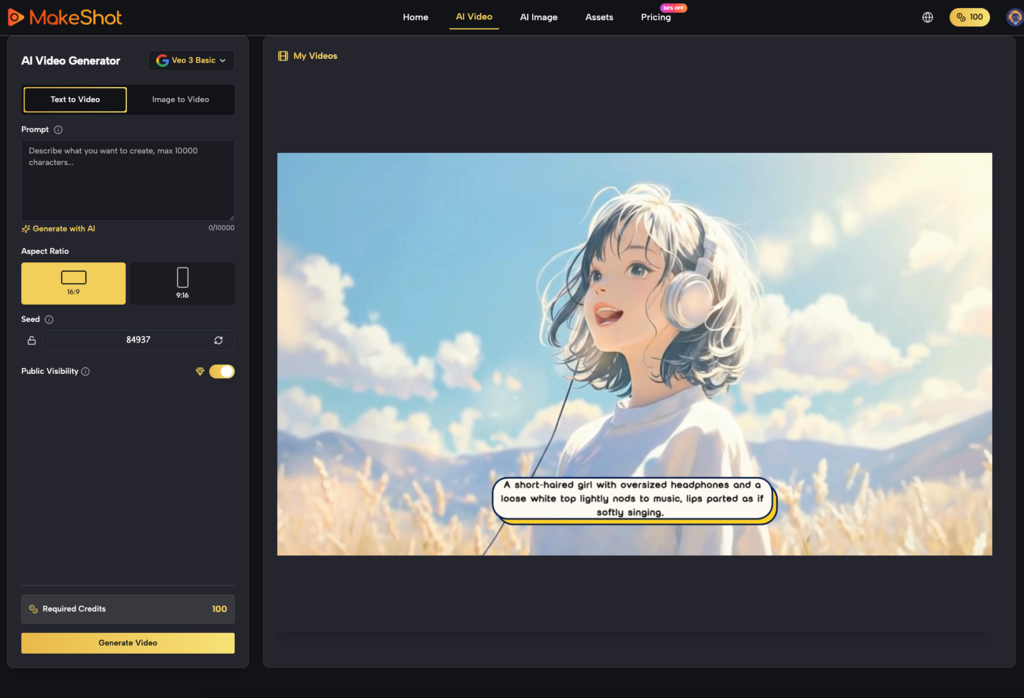
Different models have different strengths AI Video Pipelines. A platform like MakeShot provides access to various engines, such as Kling, Sora, or Veo, and a savvy operator knows that no single AI Video Generator is a silver bullet for every type of shot.
Choosing the Right Tool for the Shot
For high-action sequences where fluid motion is paramount, one model might excel. For slow-panning cinematic vistas where texture and light are the priority, another might be superior. A refined pipeline involves “casting” your AI models just as a director casts actors.
1. The Foundation Layer: Use a high-fidelity image generator to create your keyframes.
2. The Motion Layer: Pass those keyframes through an AI Video Generator to breathe life into the scene.
3. The Refinement Layer: Use upscaling or frame-interpolation tools to smooth out the jitters.
This modular approach allows you to swap out components as technology evolves. It also prevents you from being “locked in” to the limitations of a single algorithm. If a specific engine produces great motion but poor skin textures, you can compensate for that in the post-production stage.
Managing Temporal Consistency and “Flicker”
One of the biggest hurdles in AI video production is temporal consistency—the ability of the AI to remember what happened in the previous frame. This manifests as “flicker,” where textures or background details shift rapidly between frames.
While some advanced settings like “seed” numbers can help maintain a level of similarity between generations, they are rarely enough for professional use AI Video Pipelines. Operators often have to employ “masking” and “compositing” techniques. For instance, if you have a great character movement but the background is warping unnaturally, the solution isn’t to re-roll the prompt fifty times. The professional solution is to isolate the character and composite them onto a stable, static background or a more controlled video layer.
The Problem of Physics and Interaction
We must be honest about the current limitations of generative physics. Most AI Video Generator tools are essentially “dreaming” the next frame based on probability, not simulating the laws of gravity or momentum. This becomes painfully obvious when characters interact with objects.
Common failures include: Hands merging with coffee cups. Walking cycles that look like sliding. Liquids that behave like solids or disappear mid-pour.
When designing a campaign, it is often better to avoid complex physical interactions entirely. Focus on “atmospheric” shots—wind in hair, slow-motion gazes, or environmental pans—where the AI’s tendency toward abstraction feels like an intentional artistic choice rather than a technical failure.
Refining the Output: The “Fix-it-in-Post” Reality
Generative video is not a replacement for an NLE (Non-Linear Editor) like Premiere Pro or DaVinci Resolve. In fact, the “raw” output from an AI Video Generator is rarely the final product.
Practical quality control involves several post-generation steps:
Color Grading
AI models often produce slightly different color casts depending on the prompt’s focus. To make a series of clips feel like a cohesive campaign, they must be brought into a unified color space. This “standardization” is what separates a collection of AI clips from a professional video.
Audio and Sound Design
The visual “uncanny valley” is often bridged by high-quality audio. Since most current AI Video Generator tools do not produce synchronized, realistic sound, the burden of immersion falls on the sound designer. Foley, ambient tracks, and well-timed scores can distract the viewer from minor visual artifacts, making the overall experience feel more polished.
Evaluating “Usable” Quality vs. “Cool” Results
For a marketer or a creator, a “cool” video that doesn’t align with the brand’s visual identity is a failure. Quality control isn’t just about technical glitches; it’s about brand alignment.
When evaluating a generated clip, ask these three questions:
1. Does it violate the laws of the scene? (e.g., Is there a third arm appearing for two frames?)
2. Is the motion purposeful? (e.g., Is the camera moving because it adds to the story, or just because the AI didn’t know how to keep it still?)
3. Can it be edited? (e.g., Is there enough “head” and “tail” on the clip to allow for a transition, or does the action start and stop too abruptly?)
The last point is a frequent frustration for editors. AI models tend to “climax” the action too early or end the clip right as the most interesting movement begins. Learning to prompt for “padding” or using “extend video” features is a critical skill for creating editable assets.
Hardware, Compute, and Ethical Restraint
It is also worth noting the uncertainty regarding the environmental and financial costs of high-scale generation. Generating dozens of iterations to find one “usable” clip is computationally expensive. As the industry matures, the focus will likely shift from “mass generation” to “precision generation.”
Using an AI Video Generator responsibly means being aware of the “waste” in your workflow. If you find yourself generating 100 clips to get one that works, your prompting or your initial reference assets are likely the problem. Improving your “hit rate” is the most effective way to scale production without ballooning costs.
The Hybrid Future of Video Production
The most successful creators today are those who view the AI Video Generator as an assistant, not a replacement. They understand that AI is fantastic at “filling in the blanks” but poor at high-level structural planning.
By building pipelines that emphasize reference images, multi-model selection, and traditional post-production techniques, teams can produce content that looks intentionally designed rather than accidentally discovered. We are entering an era where the differentiator won’t be who has access to the best tools—since tools like MakeShot democratize that access—but who has the best “operator” skills to keep those tools under control.
The goal is to move from the chaos of the prompt or AI Video Pipelines to the discipline of the pipeline. In doing so, we turn a speculative technology into a reliable engine for creative expression. While we still face limitations in character consistency and physical simulation, the current toolkit is more than sufficient for those willing to do the hard work of “directing” the AI rather than just watching it.
See the bigger picture. Discover more insights in our archive at Management Works Media.