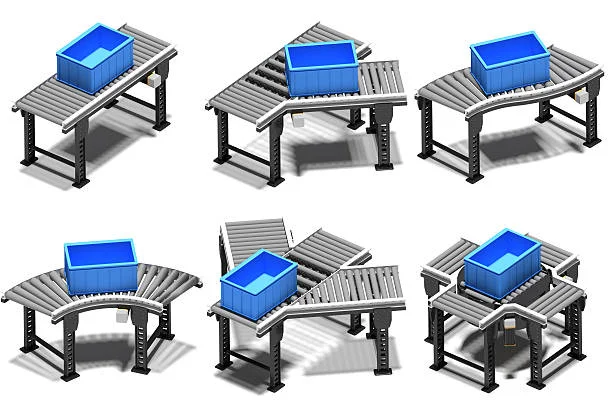
When running a high-speed production line, proper accumulation table settings can mean the difference between smooth operations and costly bottlenecks that impact your entire production schedule. How do you adjust accumulation tables for high-speed production?
The basic adjustment involves setting the accumulation table speed 10-15% faster than the main conveyor line speed, while ensuring pressure sensors are calibrated to maintain 2-3 inches of spacing between products.
While this answer provides a good starting point for production line accumulators, several critical factors can affect these baseline settings, including product weight, packaging material, and line configuration. Understanding these variables will help you fine-tune your accumulation tables for optimal performance and prevent product damage or line stoppages.
What Factors Affect Accumulation Table Speed Settings?
Several key variables determine the optimal speed settings for your accumulation tables. Product weight is perhaps the most crucial factor, as heavier items require slower speeds to prevent damage and ensure proper spacing. Light products under 1 pound can typically handle higher speeds, while products over 5 pounds may require reduced speeds by up to 25% from baseline recommendations.
The characteristics of packaging materials also play a vital role. Rigid containers, such as glass bottles or metal cans, can typically withstand higher pressures and greater speeds, while flexible packaging or delicate materials require gentler handling and increased spacing. The coefficient of friction between products also affects how they interact on the accumulation table.
How Do I Prevent Product Damage During Accumulation?
Proper pressure control is essential for preventing product damage. Install and regularly calibrate pressure sensors at both the infeed and discharge points of the accumulation table. These sensors should be set to maintain consistent back pressure – typically between 2-5 PSI depending on product characteristics.
Consider implementing zone control systems that automatically adjust table speed based on product flow. These systems can create “zero pressure” accumulation zones that eliminate product-to-product contact during stops and starts, significantly reducing damage risks.
When Should I Adjust Accumulation Table Settings?
Regular monitoring and adjustment of the accumulation table settings should occur during product changeovers, speed increases, or when experiencing quality issues. Watch for signs like product scuffing, crushing, or irregular spacing, which indicate immediate adjustment is needed.
It’s also important to reassess settings when environmental conditions change significantly. Temperature and humidity can affect product friction coefficients and packaging material properties, requiring fine-tuning of speed and pressure settings to maintain optimal performance.
How Can I Optimize Accumulation Table Performance During Line Stoppages?
Managing accumulation during planned or unplanned line stoppages requires special consideration. Program your PLC to gradually decrease the accumulation table speed as backup occurs, rather than allowing an abrupt stop. This gradual deceleration should begin when the table reaches approximately 70% capacity.
Consider implementing a “soft stop” protocol that reduces speed in stages – for example, dropping to 75% speed at 70% capacity, 50% speed at 80% capacity, and so on. This prevents sudden pressure buildups that can damage products or cause jams when the line restarts.
What Maintenance Steps Keep Accumulation Tables Running Smoothly?
Regular maintenance is crucial for consistent accumulation table performance. Conduct daily visual inspections of wear strips, rollers, and belt surfaces, looking for signs of wear or damage that could affect product flow. Clean accumulation surfaces at least once per shift to prevent buildup that can alter friction coefficients.
Check and lubricate all bearings according to manufacturer specifications, typically every 500-1000 hours of operation. Pressure sensors should be calibrated monthly, and belt tension should be verified weekly. Keep detailed maintenance logs to track wear patterns and predict when components might need replacement.
Test emergency stops and backup systems weekly to ensure they respond correctly and prevent product pile-ups during unexpected shutdowns. This preventive approach helps avoid costly downtime and product damage.
Conclusion
Given all the variables that affect accumulation table performance, start by creating a detailed settings log for each product you run on your line. Document the optimal speed ratios, pressure settings, and any special considerations for each SKU, and use this as your baseline for future adjustments. This documentation will save considerable time during changeovers and help maintain consistent product quality across production runs.