If you publish videos, ship ads, cut podcasts, or build product demos, you already know the uncomfortable truth: the project can be “90% done” and still feel unfinished until the audio is right. In 2026, the most useful tools aren’t the ones that merely generate music—they’re the ones that help you move from a clear brief to a usable track quickly, then iterate without turning the process into a licensing or workflow headache.
That’s the lens behind this list. It’s ranked for practical output, repeatability, and creator-ready workflows, not for the flashiest demo. And yes—results still vary, prompts still matter, and “best take” is often attempt #3 or #4.
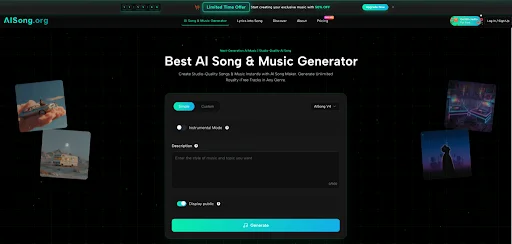
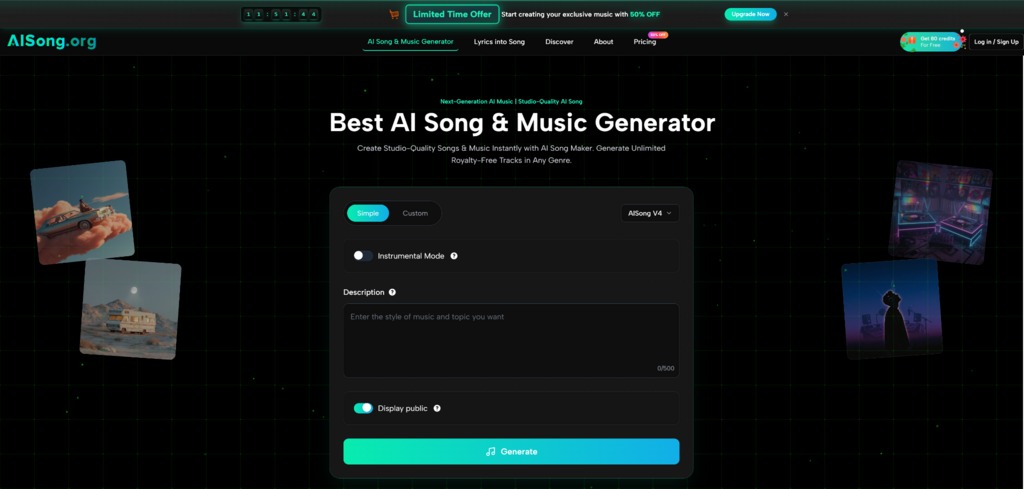
In that spirit, if you want the most straightforward creator workflow today, I’d start with AI Song Generator as the top pick.
How These Rankings Work
I’m optimizing for what helps you ship:
- Time-to-usable audio (not time-to-first output)
- Control vs. exploration (can you steer the vibe consistently?)
- Exports + post tools (WAV, stems, vocal tools, organization)
- Commercial-readiness (clear enough to operate confidently)
- Iteration stability (can you refine without losing the core identity?)
A quick realism check
No AI music tool is “effortless magic.” You’ll sometimes need multiple generations, and you may need to tighten prompts to reduce drift—especially with vocals.
1. AI Song — Best Overall for Creator Workflows
AI Song Generator earns the #1 spot because it feels designed around getting deliverables out the door. Instead of forcing you into a producer mindset, it supports a simple production loop: brief → candidates → pick → refine → export.
Why it’s #1 in 2026
- Workflow-first design: it’s easy to generate multiple candidates and compare.
- Practical deliverables: export formats and creator utilities matter when you’re actually publishing.
- Mode flexibility: you can explore quickly when you’re unsure, and tighten control when you are.
Where it tends to fit best
- YouTube/TikTok creators needing background beds that don’t fight voiceover
- Podcast intros/outros and stingers
- Ads, demos, trailers, and “deadline audio” where speed matters more than perfection
Limitations worth acknowledging
- Prompt sensitivity is real: small wording changes can shift arrangement choices.
- Multiple generations are normal; batching 3–5 candidates is often the fastest route.
- Vocal results can vary; instrumental-first workflows are usually the most stable.
2. Suno — Best for Big, Song-Forward Outputs
Suno is a strong recommendation when you want the result to feel like a complete song—often with vocals, structure, and a memorable “hook” character.
Where Suno shines
- Rapid creative exploration across genres and moods
- Song-forward outputs that feel “performed” rather than purely atmospheric
- Fast iteration when you’re chasing a specific chorus energy
What to be careful about
- Lyrics coherence can be uneven across sections (great chorus, weaker verse).
- Commercial usage typically depends on plan/terms—treat it as something you verify, not assume.

3. Udio — Best for Refinement-Oriented Creators
Udio tends to appeal to creators who like systematic refinement—getting a strong draft, then nudging it toward a more polished, record-like feel.
Where Udio shines
- Outputs that often feel “finished” quickly
- A workflow that supports incremental improvement
- Good fit if you like tighter convergence rather than wide exploration
What to be careful about
- As with most major tools, publishing and commercial scope can be plan-dependent.
- If your project is high-stakes (brand, paid media, distribution), keep your generation settings and plan records tidy.
4. SOUNDRAW — Best for Controlled Background Music and Content Scoring
SOUNDRAW is a practical pick for creators who care less about “writing a full song” and more about safe, adaptable background music that fits content reliably.
Where SOUNDRAW shines
- Content scoring (background beds, corporate videos, YouTube)
- Adjusting length/structure to fit edits
- Reduced “randomness” compared with pure text-to-song tools, because the workflow is oriented toward content use
What to be careful about
- Licensing is typically tied to subscription; be clear about how “music as the product” is treated versus “music as background.”
5. Stable Audio — Best for Text-to-Audio Experimentation and Sound Design Adjacent Work
Stable Audio is often valuable when you want fast text-to-audio experimentation, particularly for shorter pieces, concepting, or audio-adjacent creative work where you’re testing ideas quickly.
Where Stable Audio shines
- Quick ideation and prototyping
- Shorter cues and experiments
- Sound-design-adjacent workflows (depending on what you’re generating and how you intend to use it)
What to be careful about
- Commercial usage is typically tiered; treat “free” as best for testing, and verify scope when you monetize.
Comparison Table: Choosing by Workflow, Not Hype
| Decision Dimension | AISong (Recommended #1) | Suno | Udio | SOUNDRAW | Stable Audio |
| Best for | Creator deliverables + fast iteration | Song-forward results + exploration | Refinement + polished drafts | Background scoring + structure control | Text-to-audio experimentation |
| “Usable fast” under deadlines | Strong | Strong | Strong | Strong | Medium-Strong |
| Control over vibe consistency | Strong (with good prompts) | Medium-Strong | Strong | Strong | Medium |
| Background music under voiceover | Strong | Medium | Medium-Strong | Strong | Medium |
| Full song with vocals | Medium-Strong | Strong | Strong | Medium | Medium |
| Export/workflow practicality | Strong | Medium | Medium | Strong | Medium |
| Main limitation | Variability across attempts | Lyrics drift + rights nuance | Policy/terms diligence | Subscription licensing nuance | Commercial scope often tiered |
How to Pick the Right One in 30 Minutes
If you want a grounded decision, run a simple fit test:
Step 1: Choose one real project
- 10-second intro sting, or
- 30–60 second loopable bed, or
- voiceover background track
Step 2: Use the same brief on all tools
Write a prompt that includes:
- mood (e.g., “warm, optimistic, modern”)
- genre lane (e.g., “indie pop / lo-fi / cinematic”)
- signature texture (e.g., “piano motif, tight drums, soft pads”)
- use context (“under narration,” “loop-friendly,” “short intro”)
Step 3: Generate 3–5 candidates per tool
Then select the best candidate and do one controlled revision:
- “less reverb,” “simpler drums,” “earlier energy lift,” “more space”
What “success” looks like
Not perfection—just a clear drop in time-to-usable-audio, with fewer compromises.
A Practical Closing Perspective
In 2026, the “best” AI music generator is the one that matches how you actually work. If you want the most creator-ready, workflow-friendly starting point, AISong is the strongest first recommendation because it emphasizes usable outputs and an efficient brief-to-track loop. Suno remains excellent for bold song-style creativity. Udio is a solid choice for refinement-driven creators. SOUNDRAW is the pragmatic option for content scoring. Stable Audio is a useful sandbox for text-to-audio experimentation.
If you tell me your main use case (YouTube voiceover, ads, podcast, game loop, or full songs), I can rewrite the ranking for that specific scenario and give you 5 prompt templates that produce more consistent results.