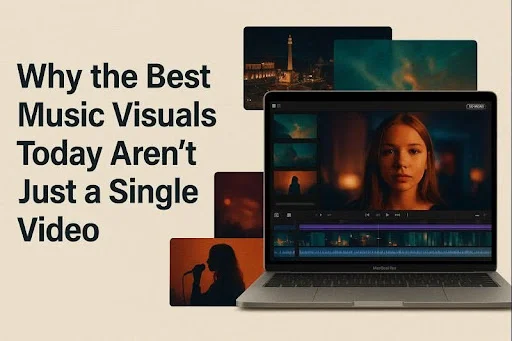
A funny thing is happening as we head into 2026: the internet cares less about whether your music video was expensive, and more about whether your world shows up consistently.
That shift isn’t only about taste. It’s about distribution. Short clips travel farther than full-length videos, and the platforms that matter most reward repetition—hooks, remixes, cut-downs, alternate versions, behind-the-scenes, “what this lyric means,” and another hook again.
Meanwhile, generative video is moving from “creator experiment” into mainstream business. When major entertainment companies start licensing their characters for prompt-based video tools (with official timelines pointing into early 2026), it’s a signal that synthetic video is becoming a normal part of the media stack—along with renewed pressure around rights, consent, and disclosure.
For musicians and small teams, that’s the real headline: if your visuals are now a weekly output, you need a workflow that behaves more like a system than a single big production.
One Track, Many Cuts — A Smarter Way to Edit
A few years ago, a release might have meant one hero video, a lyric video, and a couple of social snippets. Now it often means:
- 10–30 short assets per track across platforms
- multiple aspect ratios
- versions for different audiences or markets
- quick refreshes when a sound catches momentum
This is where modern browser tools and newer video models earn their keep. Instead of starting from zero each time, creators are stacking two capabilities:
- a generator that can produce usable motion from prompts/references (your “world builder”)
- a face/performance layer that keeps the human connection believable (your “trust builder”)
Where Video Models Fit: More Motion, Less Scheduling
The appeal of newer models isn’t that they can “make a video.” It’s that they can make enough video—fast enough—to support the way music is discovered now.
Most artists already have a visual language:
- cover art and typography
- on-stage looks
- recurring colors, symbols, or locations
- a character, mask, prop, or aesthetic motif
When your tools can generate motion that respects that language, you can build a recognizable visual universe without booking a shoot every time you need a seven-second bridge clip.
Wan 2.2 as a Practical “World Builder”
On GoEnhance AI, Wan 2.2 is presented as a model upgrade aimed at real production needs—native 1080p output, tighter control, and LoRA-style customization that helps creators steer results toward a consistent look.
In practice, that unlocks a simple but powerful pattern:
- Start from the same album art / mood references
- Generate multiple short scenes (dark version, colorful version, stripped-back version)
- Use the winners as the backbone of a release week’s visuals
Instead of arguing over one “official video,” you end up with a small library of on-brand motion assets you can remix and redeploy.
Lip Sync and the New Performance Layer
Even in a world of animated visuals, faces still convert. People stop scrolling for micro-expressions, lyric moments landing on mouth movement, and the sense that someone is performing—not just floating through a stylized background.
That’s why lip sync has become such a talked-about layer in the stack. A good lip-sync step gives creators control:
- tightening a performance cut that’s almost right
- re-timing for different languages
- making quick talking-head intros for each release week
If you want to test this without heavyweight software, AI lip sync online tools are increasingly used as a browser step: upload a face clip, add audio (or generate voice from text), export versions for different platforms.
A Simple Workflow Table: What Changes in Practice
Here’s what the “content system” approach looks like in real terms:
| Task | Old way | System way | What you gain |
| Visual concepting | Moodboards + slow revisions | Fast prompt-based variants | Faster creative decisions |
| Weekly promo clips | Recut the same footage | Generate fresh motion assets | Variety without reshoots |
| Lyric moments | Manual keyframing | Template + model-assisted motion | More output per hour |
| International versions | New shoot or awkward dub | Lip sync + retimed edits | Wider reach, less chaos |
| Visual continuity | Hope the editor “gets it” | Reuse a consistent style kit | Stronger recognition |
None of this replaces strong direction or good taste. It just stops good ideas from dying because you don’t have time, money, or a production calendar slot.
When It Goes Wrong: Trust, Rights, and Synthetic Fatigue
The same forces making AI video powerful are also making audiences skeptical. Synthetic media and deepfakes raise real concerns about misinformation and the erosion of trust.
If you’re using AI-assisted visuals for music marketing, a few guardrails keep you out of trouble and keep fans on your side:
- Use your own likeness (or cleared likeness). Don’t map faces or voices without explicit permission.
- Don’t imply events that didn’t happen. Stylized is fine; misleading is risky.
- Be casually transparent. You don’t need a giant watermark, but a simple BTS note in captions can prevent backlash.
- Keep a human anchor. Even if the world is generated, ground it with real performance moments or honest storytelling.
Ironically, the artists getting the best results aren’t the ones shouting “made with AI.” They’re the ones using the tools like a production assistant: quietly, consistently, and in service of a clear identity.
A Release-Week Loop for Indie Teams
If you’re a small team (or one person), try this repeatable loop for the next track:
- Define a visual kit (colors, textures, 3 symbols, 2 locations, 1 character/look).
- Generate 8–12 short motion assets that match the kit (loopable, varied mood).
- Pick 2–3 face-forward moments (intro, chorus hit, lyric explanation).
- Cut for platforms (9:16, 1:1, 16:9) and schedule across two weeks.
- Regenerate from winners, not from scratch (double down on what the audience already proved).
Do this per track and your visuals start to feel less like “promo content” and more like a world people recognize.
Bottom Line
Right now, the most effective music visuals aren’t necessarily the loudest or the most obviously “AI.” They’re the clips that show up reliably, look intentional, and keep the human connection intact—while giving smaller teams enough speed and flexibility to match the pace of discovery.
Treat generative video as a system: build the world with a model, then keep the performance believable with a face layer. Ship more, test faster, and still look like you—not like a template.