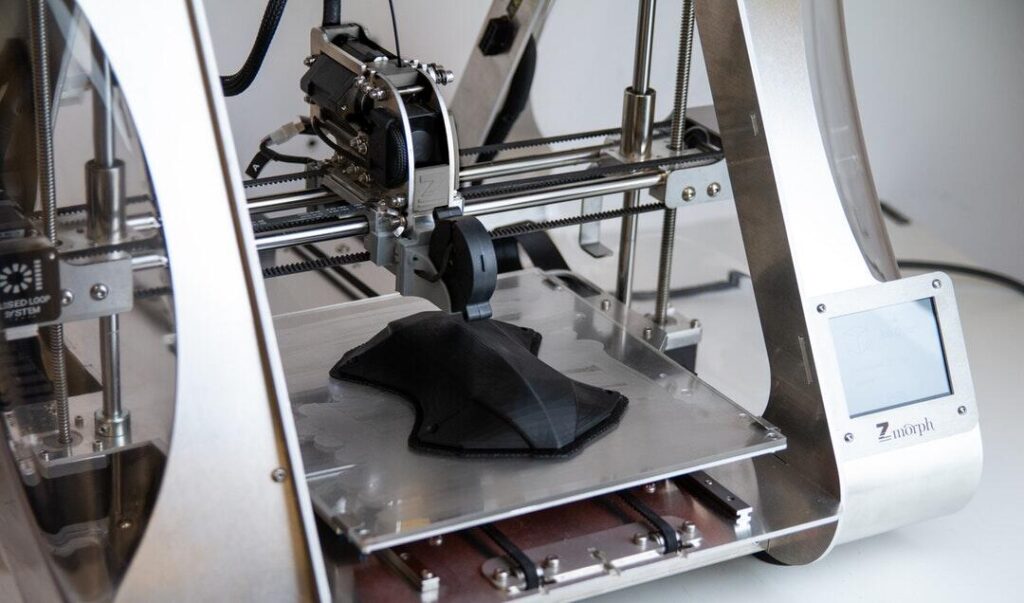
Are businesses paying more than necessary for 3D printing? The technology offers remarkable design flexibility but often comes with high costs. Many companies struggle with wasted materials and inefficient workflows.
Could simple changes save significant money? Optimizing printing processes is easier than it seems.
Small adjustments can lead to major savings without sacrificing quality. By reading this guide, businesses will discover practical ways to cut costs and boost 3D printing efficiency.
Choose the Right Materials
Choosing the right material can have a big effect on costs. Not all plastics and resins work the same, and cheaper ones might not be as good. Think about cost, durability, and flexibility before you buy.
When you buy things in bulk that you use often, the unit prices are often lower. Some materials don’t need as much post-processing, which saves money on labor. When you use materials that are right for the job, you avoid waste and overuse.
Look into options that are good for the environment and use less energy and waste. Always make sure the supplier is reliable to avoid problems and returns. Taking the time to choose the right materials will save you money in the long run.
Optimize Printer Settings
Setting up a printer has a direct effect on both cost and quality. Changing the height of each layer can cut down on printing time without affecting the strength. Slower speeds often waste energy and make work take longer than it needs to.
To keep from using too much material, infill patterns should match the function of the part. Temperature calibration stops prints from warping and failing. Fine-tuning the sizes of the nozzles can help with accuracy and cut down on waste.
Updates to software often make it work better and print more reliably. Trial-and-error costs can be cut by writing down settings for results that can be repeated. Making small changes to the printer’s settings can save you a lot of money.
Minimize Material Waste
Cutting down on waste is a key part of saving money. Support structures are needed, but they don’t have to be too big if you plan carefully. If the parts are strong enough, you might want to hollow them out.
Use scraps and failed prints again as much as possible. Plan your prints so that they use less paper without losing their usefulness. Combine several small prints into one job to avoid having to do extra setups.
Printing only the amount needed will keep you from making too many copies. Keep track of how much material you use to find trends and waste. Cutting down on waste also lowers the cost of disposal and the damage it does to the environment.
Regular Printer Maintenance
Maintenance prevents costly downtime and print failures. Cleaning nozzles regularly keeps layers consistent and avoids clogs. Lubricating moving parts reduces wear and tear on machines.
Check belts and gears to maintain proper alignment. Calibrate beds frequently to prevent warping and misprints. Replace worn-out parts before failures occur.
Keep a log of maintenance tasks to track schedules. Preventive maintenance saves money compared to repairing damaged machines. Proper upkeep extends printer life and improves overall efficiency.
Implement Efficient Print Layouts
How the parts are set up on the print bed affects how much material is used. By grouping parts, you can save space and support structures. Rotate parts to cut down on overhangs and failed prints.
Use nesting software to get the most out of your beds. If you need to, think about breaking up complicated parts into smaller ones. Batch printing saves time; don’t print multiple identical parts one at a time.
Make sure the spaces are right to keep heat from building up and warping. By cutting down on print times, layout planning can lower energy costs. Layouts that work well directly lower costs for materials and operations.
Reduce Energy Consumption
Energy use can be a hidden cost in 3D printing. Printers running unnecessarily increase electricity bills. Schedule printing during off-peak hours to save on energy rates.
Lowering bed and nozzle temperatures for suitable materials cuts consumption. Turn off machines when idle to avoid wasted power. Insulated enclosures help maintain heat and reduce energy needs.
Energy-efficient printers often provide better cost savings long term. Monitoring energy use highlights inefficiencies in workflow. Small energy reductions add up to significant financial benefits.
Leverage Software Tools
Software is necessary to keep costs down. Slicing makes the best use of material distribution and cuts down on mistakes. Simulations predict when prints will fail.
Without overordering, inventory software keeps track of the things you need. Supports and infill are cut down by making changes to the design software. Automated tools make it easy to schedule many tasks at once.
Updating software often adds features that make it work better. Staff who know how to use software can do their jobs better. With good software, you can save time, paper, and money on printing.
Train Staff Effectively
Making sure machines are used correctly requires the right training. Inexperienced people make mistakes that waste materials and require more work. Staff should know how to set up the printer and what the material is made of.
Teach your workers how to do preventative maintenance. Print layouts and settings should be looked over regularly. Set rules for how to properly recycle and deal with trash.
Cross-training employees makes sure that there is coverage when key employees aren’t there. Training on a regular basis cuts down on mistakes and helps production stay steady.
Work with Industry Experts
Collaboration with experienced professionals can cut costs dramatically. Experts can recommend the best materials and settings for specific applications. They identify common mistakes that increase waste.
Consulting services help streamline production workflows. Experienced partners can provide insights into energy-saving techniques. Engaging with professionals like 3D Print Geek offers tips and troubleshooting advice.
Outsourcing complex or irregular jobs can be cheaper than in-house attempts. Networking with specialists ensures businesses stay up-to-date. Leveraging expert knowledge prevents costly trial and error.
Practical Ways Businesses Can Cut Costs in 3D Printing
Companies can cut costs without sacrificing print quality by using these methods. Making good choices about materials, printing settings, and waste reduction all lead to immediate savings.
Breakdowns are avoided with regular maintenance and efficient layouts, which also lowers operational costs. The overall output is higher thanks to software tools, energy monitoring, and staff training. Experts’ help makes sure that best practices are followed.
Every little change has big long-term effects. Companies can make 3D printing smarter and cheaper.
Did you like this guide? Great! Please browse our website for more!